Review Ace
More Google reviews from every finished job.
Review Ace asks every customer for a Google review after each completed job, on a schedule RepeatAce sets for every account.
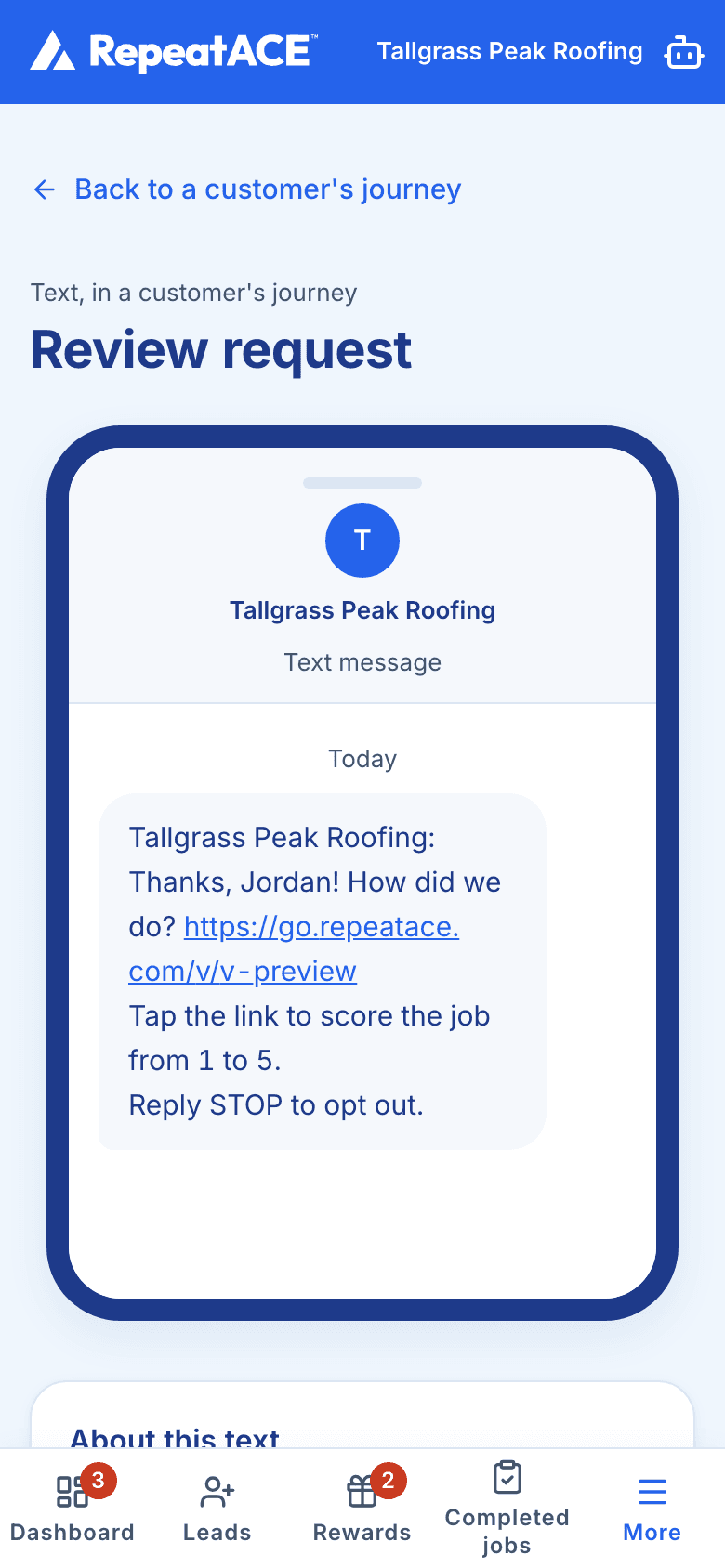
What happens after a job
A job is completed in Jobber, or you record it in RepeatAce. Review Ace schedules the review request.
Three hours later, the customer receives a text asking how the job went. Requests go out only between 9 am and 8 pm in your company's time zone, so one due outside those hours waits until 9 am.
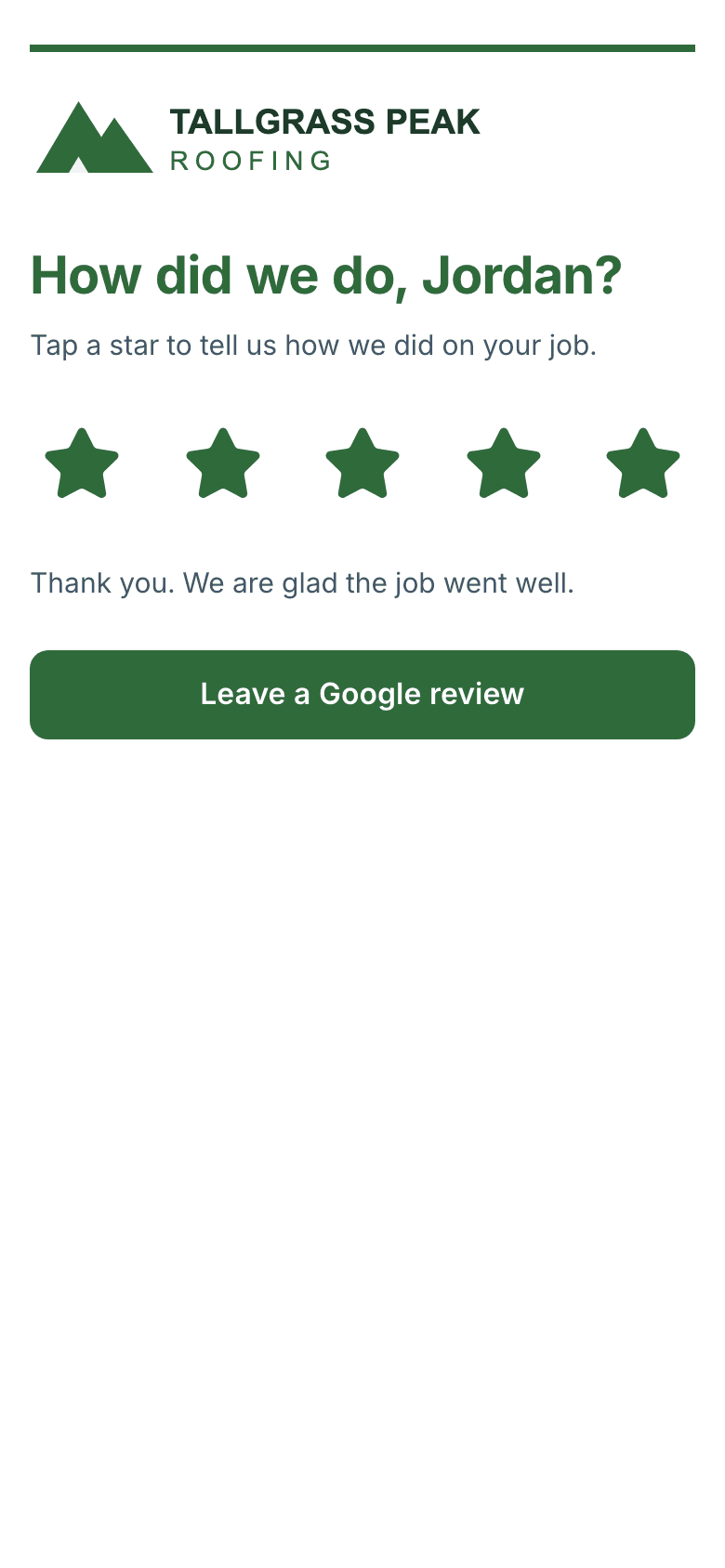
The link in the text opens a review web page in your company's name, logo and brand color. RepeatAce's name appears nowhere on it.
The page asks "How did we do?" and shows five stars. Once the customer taps a star, a "Leave a Google review" button appears, whatever the score.
That button opens your Google review link, where the customer writes the review on your Google listing.
Every customer gets the same link.
Every customer gets the same request and the same Google review link. A score never changes who is asked or who sees the Google button, because Google does not allow businesses to send only happy customers to review.
When a customer scores a job 3 or below, RepeatAce alerts you at once so someone can follow up, and the customer still gets the same Google review link.
Messages in your words, under your name.
Start from the Friendly, Short or Professional preset on the Message tab and edit the wording. Your business name, the scoring line and the opt-out line are always included.
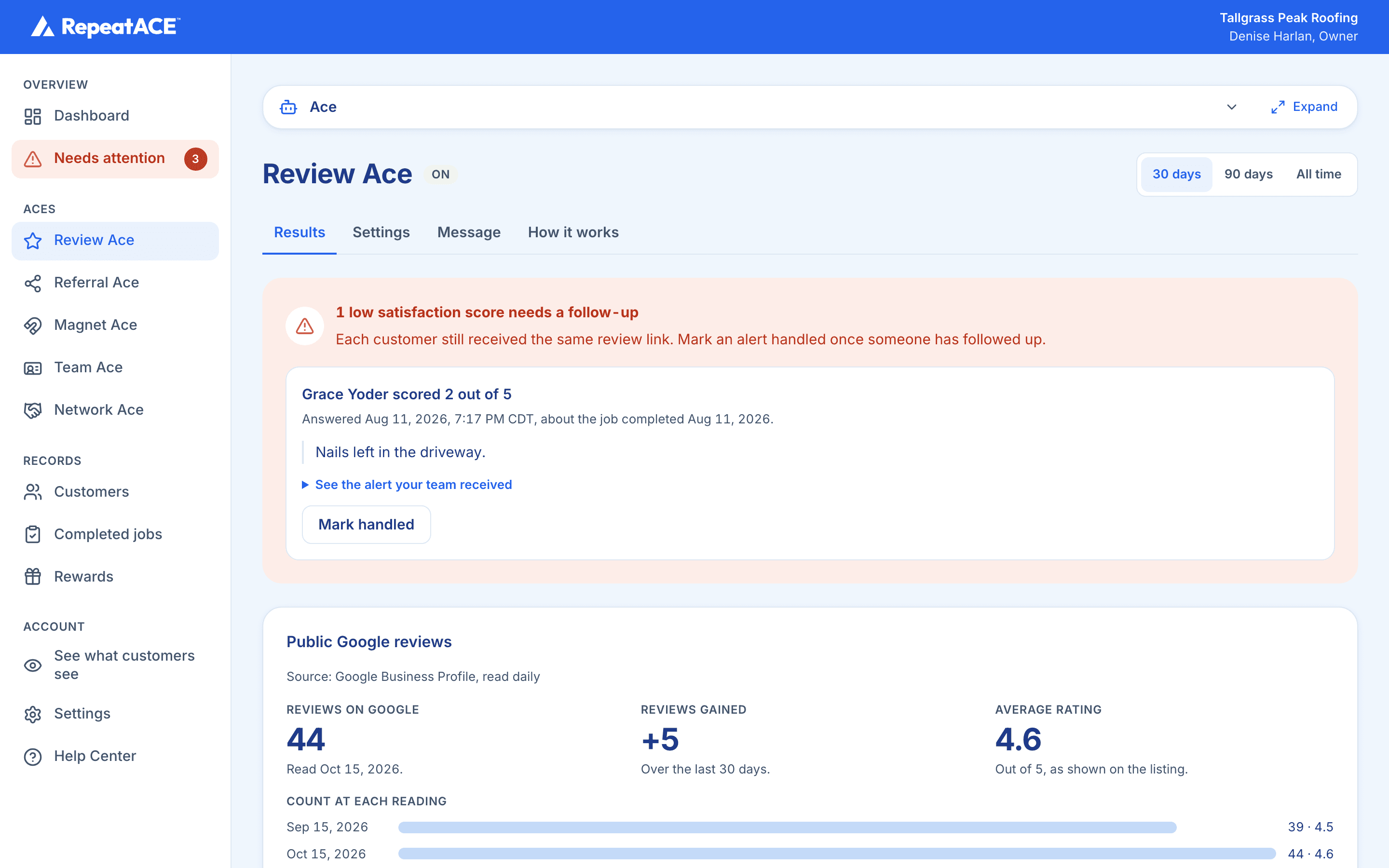
See every new review.
If you connect your Google Business Profile, RepeatAce reads your reviews each day, with reviewer names and dates. If you do not, it reads the review count and rating on your public listing once a week. It also counts who opened your Google link.
Questions
When does the review request go out?
Does every customer get the Google review link?
How often is the same customer asked?
Where do I find my Google review link?
What happens when a customer gives a low score?
More from RepeatAce
Magnet Ace: a magnet on the fridge with your review link one tap away.